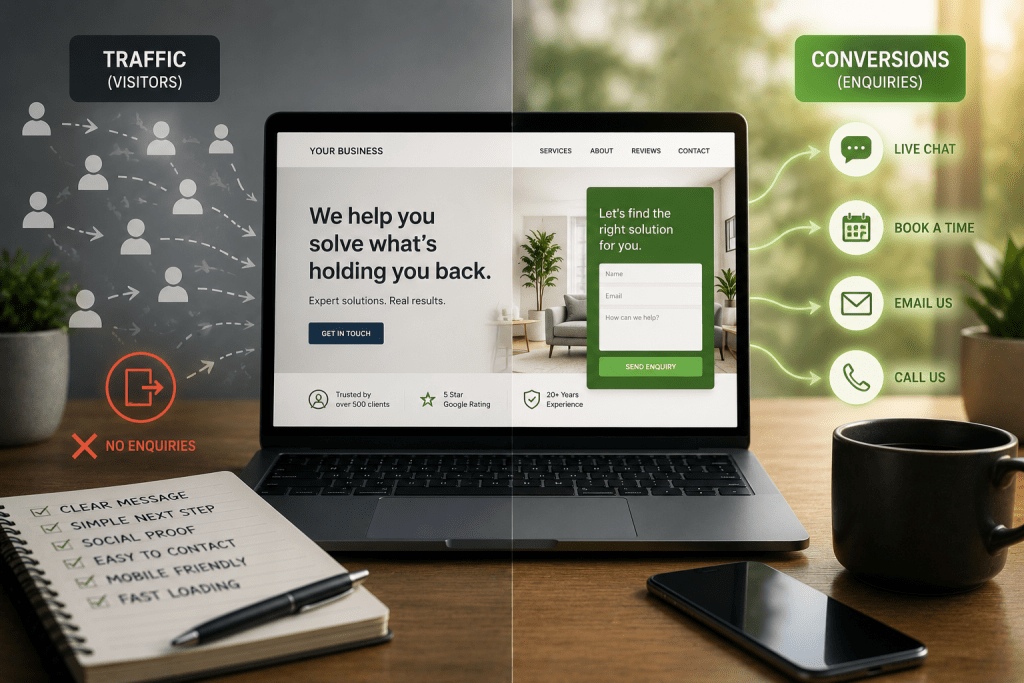
If your website isn’t bringing in enough leads or sales, it’s tempting to jump straight to “I need more traffic.” But more traffic won’t fix a leaky bucket. Before you spend another dollar on ads or SEO, you need to know which problem you actually have, because the fix for each one is completely different.
This article walks you through a simple self-audit so you can work out where your business is really losing money: at the top of the funnel (traffic) or further down (conversion).
Why This Distinction Matters
A traffic problem means not enough of the right people are finding your site.
A conversion problem means enough people are finding it, but something on the page (or in the process) is stopping them from taking action.
Most business owners assume it’s traffic. It’s often not. Plenty of websites get a decent number of visitors each month but convert at well below what’s realistic for their industry. If that’s you, pouring more money into ads is like turning up the tap on a bucket that already has a hole in it. You’ll spend more, but the results won’t improve much.
The 30-Minute Self-Audit
You don’t need expensive tools to get a first read on this. Google Analytics 4 (GA4) and Google Search Console, both free, will tell you most of what you need to know.
Part 1: Check Your Traffic
Go to GA4 and look at Reports, then Life Cycle, then Acquisition, then Traffic Acquisition. Ask yourself:
- Are sessions actually coming in? If your monthly visitor count is genuinely low for your industry and location, that’s a real traffic problem, and no amount of landing page tweaking will fix it.
- Where is traffic coming from? Break it down by channel (organic search, paid ads, social, direct, referral). Is one channel doing all the heavy lifting while others are flat?
- What’s your engagement rate by channel? GA4 counts a session as “engaged” if someone stays active for 10+ seconds, views 2+ pages, or completes a key action. Compare engagement rate across channels. If organic search visitors engage well but your paid social traffic barely sticks around, that’s usually a targeting or message mismatch, not a conversion page problem.
- Does a traffic spike match a rise in engaged sessions? If visits jump but engagement stays flat or drops, you’re probably picking up low-quality or bot traffic, not real prospects.
- What does Search Console tell you? Check your impressions, clicks, and average position for the keywords you want to rank for. Low impressions means Google isn’t showing you for those searches yet. Decent impressions but a low click-through rate often points to a weak title tag or meta description, not a traffic volume issue at all.
Part 2: Check Your Conversion
If your traffic numbers look reasonable but leads or sales aren’t following, move to the conversion side.
- Map your funnel and find the drop-off. Use GA4’s funnel exploration (or your CRM/checkout data) to see exactly which step people abandon: the homepage, a service page, the contact form, or the checkout.
- Test your page speed. Run your key landing pages through Google PageSpeed Insights. Aim for Largest Contentful Paint under 2.5 seconds. Slow pages bleed visitors before they even see your offer.
- Check the mobile experience specifically. Most traffic today is mobile, but mobile conversion typically lags desktop. Load your site on your phone and actually try to complete the action you want a customer to take. Are buttons easy to tap? Does the layout break anywhere? Is text readable without zooming?
- Compare the click promise to the page experience. Look at the ad, search result, or social post that brought someone to your site, then look at the landing page. Does the page continue that same conversation, or does it suddenly talk about something else? A mismatch here kills conversion even when the traffic is good quality.
- Watch real behaviour with heatmaps and session recordings. Free or low-cost tools like Microsoft Clarity or Hotjar show you where people click, how far they scroll, and where they hesitate or rage-click. This is often the fastest way to spot a confusing layout or a call-to-action nobody notices.
- Review your forms and CTAs. Are you asking for too much information too soon? Is your main call to action clear, visible, and repeated at logical points on the page? Vague buttons like “Submit” or “Learn More” convert worse than specific ones like “Book Your Free Audit.”
- Look for trust signals. Reviews, testimonials, guarantees, clear pricing, and real contact details all reduce hesitation. Their absence is a common, easy-to-fix conversion leak.

Reading the Results
Once you’ve gone through both checklists, you’ll usually land in one of four situations:
Good traffic, poor conversion: Visitors are arriving in reasonable numbers and engaging, but they’re not taking action. The problem is on your page or in your process, not your marketing spend. Focus on message match, page speed, mobile experience, and your offer.
Poor traffic, decent conversion: When people do land on your site, they convert reasonably well, but not enough people are showing up in the first place. This is a genuine case for investing in SEO, ads, or content to grow volume.
Poor traffic and poor conversion: Both need work, but fix conversion first. There’s no point spending more to send additional visitors to a page that’s already losing most of the people it gets.
Good traffic and good conversion, but still not enough revenue: This usually isn’t a website problem at all. It’s more likely pricing, offer strength, or sales follow-up.
For a rough industry benchmark, service businesses typically convert website visitors at 3 to 5% on form submissions and consultation requests, while the blended average across all industries sits closer to 2.35%. If you’re well under the number for your industry, that’s a strong signal something on the conversion side needs attention.
What to Do With This
This self-audit will get you most of the way to understanding where the leak is. But diagnosing the exact cause and building the right fix, whether that’s a targeting change, a page rebuild, or a completely different offer, is where most business owners get stuck. It’s also where an outside, experienced eye tends to save the most time and money.
If you’d like a second opinion on what your numbers are actually telling you, book a Growth Review Audit with Amigo Marketing. We’ll go through your traffic, your funnel, and your conversion data together, and show you exactly where your business is leaking revenue and what to fix first.